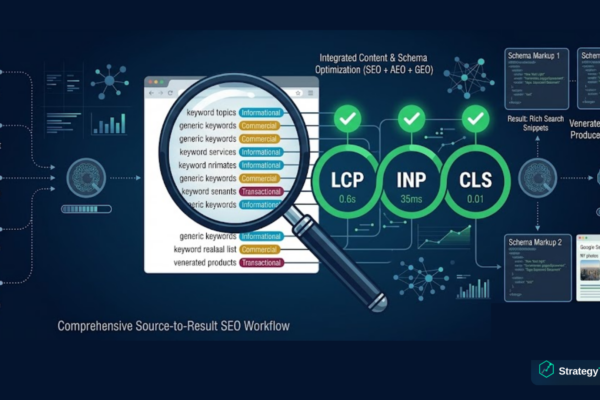
Schema Markup for Beginners: How Structured Data Helps You Rank
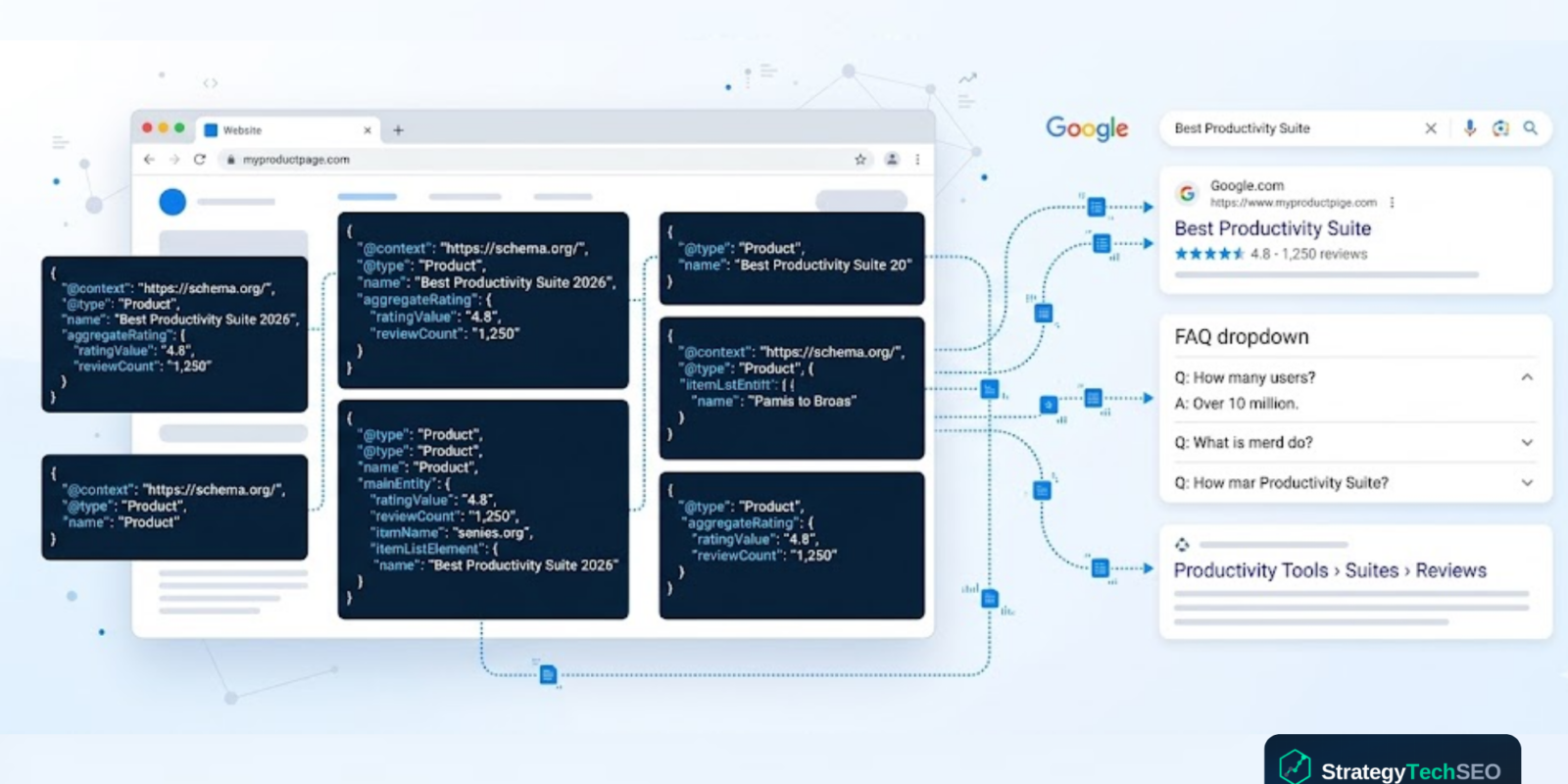
Schema markup for SEO is one of the most effective ways to help search engines better understand what your web pages are about, and it is far simpler to implement than most marketers realize. You do not need to be a developer. You do not need to edit your site’s source code line by line. With JSON-LD markup, you can copy a block of structured data, customize a few fields, and paste it into any page on your website. That single action can qualify your content for rich snippets, knowledge panels, FAQ dropdowns, and other enhanced features on the search engine result page.
Google has stated that structured data helps its systems better understand your content. And in a search landscape increasingly shaped by AI overviews and answer engines, that machine-readable clarity is no longer optional. It is the foundation that determines whether your content gets surfaced, cited, or ignored entirely.
This guide walks through exactly what schema markup is, which types of schema markup deliver the most value, and provides ready-to-use JSON-LD templates you can implement today without writing a single line of code from scratch.
What Is Schema Markup and Why Does It Matter for SEO?
Schema markup is a standardized vocabulary of code, maintained by Schema.org, that you add to your web pages to describe their content in a format that machines can read. Think of it as a translation layer between your content and search engines. Your visitors see a blog post, a product page, or an FAQ section. Schema markup tells Google, Bing, and AI platforms exactly what that content represents: an article published on a specific date, a product with a price and rating, or a set of questions with definitive answers.
When search engines better understand your content through structured data, they can display it more prominently. This is how pages earn rich snippets in Google search results, including star ratings, FAQ dropdowns, recipe cards, event dates, and breadcrumb trails. These enhanced listings stand out visually on the SERP and consistently earn higher click-through rates than standard blue links.
The impact goes beyond traditional search. AI platforms like ChatGPT, Perplexity, and Google Gemini also rely on structured data signals when deciding which sources to cite. Implementing schema markup positions your content for visibility across both traditional and AI-powered discovery channels.
Why JSON-LD Is the Recommended Format
JavaScript Object Notation for Linked Data (JSON-LD) is Google’s recommended format for structured data. Unlike Microdata or RDFa, JSON-LD sits inside a <script type="application/ld+json> block that is completely separate from your visible HTML. You can add, edit, or remove it without affecting your page layout or design.
Because JSON-LD lives in its own script block, marketers can implement it without touching the page’s design or content structure. Copy a template, customize the fields, paste it into your CMS, and you are done.
How Schema Markup Works Behind the Scenes
When Google crawls your page, it reads both the visible content and any structured data you have embedded. Structured data serves as a set of explicit labels. Instead of Google’s algorithm guessing that a string of text is an author name or a publish date, your schema markup declares it directly.
Here is the basic anatomy of a JSON-LD block:
<script type="application/ld+json">
{
  "@context": "https://schema.org",
  "@type": "Article",
  "headline": "Your Article Title Here",
  "author": {
    "@type": "Organization",
    "name": "Your Brand Name"
  }
}
</script>
Every JSON-LD block starts with @context pointing to Schema.org, followed by @type declaring what kind of thing you are describing. From there, you fill in the properties that are relevant to that type. Google’s documentation specifies which properties are required, recommended, and optional for each schema type.
The block can go in the <head> section of your HTML or in the <body>. Most CMS platforms, including WordPress, allow you to paste it into a custom code field or use a plugin to generate it automatically.
The Types of Schema Markup That Move the Needle
Schema.org defines over 800 types, but only a handful consistently drive visible results in Google search results. Focus your effort on the types of schema markup that qualify for Google’s rich results and that match the content you are already publishing.
| Schema Type | Best For | Rich Result It Enables |
|---|---|---|
| Article / BlogPosting | Blog posts, news articles, guides | Article carousel, enhanced headline in SERPs |
| FAQPage | Pages with question-and-answer content | FAQ dropdown directly on the SERP |
| LocalBusiness | Businesses with a physical location | Knowledge panel, local pack, Google Maps |
| Product | E-commerce product pages | Price, availability, and star ratings in results |
| HowTo | Step-by-step tutorials and instructions | Step-by-step rich snippet with images |
| BreadcrumbList | Any page with site navigation | Breadcrumb trail replacing URL in SERPs |
| Organization | Your homepage and about page | Knowledge panel, brand entity recognition |
Article Schema Walkthrough: Copy, Paste, Publish
An article schema tells search engines that your page is a piece of editorial content with a specific headline, author, publication date, and featured image. This is the most universally applicable schema type for any business publishing blog posts, guides, or thought leadership.
Here is a complete, ready-to-use Article schema template. Replace the placeholder values with your own content details:
<script type="application/ld+json">
{
  "@context": "https://schema.org",
  "@type": "Article",
  "headline": "Your Article Title Here",
  "description": "A brief summary of what this article covers.",
  "image": "https://yoursite.com/images/featured-image.png",
  "datePublished": "2026-03-17T00:00:00+00:00",
  "dateModified": "2026-03-17T00:00:00+00:00",
  "author": {
    "@type": "Organization",
    "name": "Your Brand Name",
    "url": "https://yoursite.com/"
  },
  "publisher": {
    "@type": "Organization",
    "name": "Your Brand Name",
    "logo": {
      "@type": "ImageObject",
      "url": "https://yoursite.com/logo.png"
    }
  },
  "mainEntityOfPage": {
    "@type": "WebPage",
    "@id": "https://yoursite.com/your-article-url/"
  }
}
</script>
Place this block in the <head> of your page. In WordPress, you can add it through a plugin like Rank Math, Yoast, or a custom HTML widget. The key fields to customize are headline, description, image, datePublished, and the author and publisher details.
FAQ Schema Walkthrough: Own the People Also Ask Box
The FAQPage schema is one of the highest-impact schema types for content marketers. When implemented correctly, it can trigger FAQ-style dropdowns directly on the search engine result page, giving your listing significantly more visual space than competitors.
<script type="application/ld+json">
{
  "@context": "https://schema.org",
  "@type": "FAQPage",
  "mainEntity": [
    {
      "@type": "Question",
      "name": "What is schema markup?",
      "acceptedAnswer": {
        "@type": "Answer",
        "text": "Schema markup is structured data code that helps search engines understand the content on your web pages. It uses a standardized vocabulary from Schema.org to label elements like articles, products, FAQs, and businesses in a machine-readable format."
      }
    },
    {
      "@type": "Question",
      "name": "Does schema markup help SEO?",
      "acceptedAnswer": {
        "@type": "Answer",
        "text": "Schema markup is not a direct ranking factor, but it enables rich results in Google search that significantly increase click-through rates. Pages with rich results earn up to 58% more clicks than standard listings."
      }
    },
    {
      "@type": "Question",
      "name": "What is the best format for schema markup?",
      "acceptedAnswer": {
        "@type": "Answer",
        "text": "JSON-LD (JavaScript Object Notation for Linked Data) is Google's recommended format. It is added as a script block in your HTML and does not interfere with your page layout or design."
      }
    }
  ]
}
</script>
Each question-and-answer pair maps to a Question entity with an acceptedAnswer. You can include as many pairs as your page supports. The critical rule: every question and answer in your FAQ schema must also appear as visible content on the page. Google will not display FAQ rich results for content that exists only in the structured data.
Local Business Schema: Show Up in Local Search
For businesses with a physical location, the LocalBusiness schema is essential for local search visibility. It connects your website to your Google Business Profile and helps search engines display your name, address, phone number, hours, and ratings in knowledge panels and local pack results.
<script type="application/ld+json">
{
  "@context": "https://schema.org",
  "@type": "LocalBusiness",
  "name": "Your Business Name",
  "url": "https://yoursite.com/",
  "telephone": "+1-555-123-4567",
  "address": {
    "@type": "PostalAddress",
    "streetAddress": "123 Main Street",
    "addressLocality": "Your City",
    "addressRegion": "Your State",
    "postalCode": "12345",
    "addressCountry": "US"
  },
  "openingHoursSpecification": [
    {
      "@type": "OpeningHoursSpecification",
      "dayOfWeek": ["Monday", "Tuesday", "Wednesday", "Thursday", "Friday"],
      "opens": "09:00",
      "closes": "17:00"
    }
  ],
  "image": "https://yoursite.com/images/storefront.jpg",
  "priceRange": "$$"
}
</script>
Make sure the name, address, and phone number in your local business schema match exactly what appears on your Google Business Profile and across all directory listings. Inconsistencies between these sources weaken your local search signals.
How to Validate Your Schema Markup
Even a small syntax error in your JSON-LD can prevent Google from reading your structured data entirely. Always validate before publishing. Google provides two free tools for this.
Rich Results Test
Google’s Rich Results Test checks whether your structured data qualifies for enhanced Google search results. It flags missing required properties, warns about recommended fields, and shows a preview of how your rich snippets will appear. Use this tool for every page before publishing.
Schema Markup Validator
The Schema.org Validator checks the syntax and structure of your JSON-LD markup against the full Schema.org vocabulary. It catches errors that the Rich Results Test might miss, including incorrect property types and nesting issues. Run both tools for complete coverage.
Follow Google’s structured data guidelines carefully. Your schema must describe content that is actually visible on the page. Marking up content that users cannot see violates Google’s policies and can result in a manual action penalty.
Common Schema Mistakes That Block Rich Results
- A schema describes content not visible on the page. Every property in your structured data must correspond to content that users can actually see. FAQ schema for questions that do not appear on the page, or product schema with a price that is not displayed, will be flagged and rejected.
- Missing required properties. Each schema type has required fields. An article schema without a
headlineorimage, for example, will not qualify for rich results. Check Google’s structured data documentation for the required properties of every type you implement. - Duplicate or conflicting schema on the same page. Adding multiple Article schema blocks to a single page, or having a schema that contradicts itself (such as two different publish dates), can confuse search engines and prevent any rich results from appearing.
- Not updating the dateModified after edits. When you update an article, the
dateModifiedfield in your schema should reflect the actual date of the most recent edit. Stale dates signal to search engines that your content may be outdated. - Using Microdata instead of JSON-LD. While Microdata is still technically supported, JSON-LD markup is Google’s explicitly recommended format. It is easier to maintain, less prone to errors, and does not require you to weave code into your HTML structure.
Adding schema markup to your website is one of the highest-impact, lowest-effort optimizations you can make. It does not require a developer, it does not change how your pages look, and it gives search engines the clarity they need to prominently feature your content. Start with the Article and FAQ schema on your top pages, validate with the Rich Results Test, and expand from there.
Get Your Schema Markup Implemented the Right Way
Structured data is the foundation of modern SEO, answer engine optimization, and AI visibility. StrategyTech SEO implements schema markup across your entire site so your content qualifies for rich results, knowledge panels, and AI citations.
Sources & References
- Google Search Central. “Introduction to Structured Data Markup in Google Search.” developers.google.com
- Schema.org. “Full Schema.org Vocabulary and Documentation.” schema.org
- Google Search Central. “Rich Results Test Tool.” search.google.com
- Google Search Central. “Article Structured Data Guidelines.” developers.google.com
- Google Search Central. “FAQ Structured Data Guidelines.” developers.google.com
- Google Search Central. “Local Business Structured Data Guidelines.” developers.google.com
- Semrush. “What Is Schema Markup and How to Implement It.” semrush.com

StrategyTech SEO
StrategyTech SEO helps businesses grow organic visibility through technical audits, on-page optimization, and data-driven search strategies. We turn SEO from guesswork into measurable results.